Setting CPU Performance Mode in Windows
Last updated: April 28, 2026
Windows allows you to adjust how your computer balances performance and energy usage. This can be useful if you want to maximize performance for Motif. Typically this applies only to laptops.
Check Current Power Settings
Open System Settings by typing Windows key + I
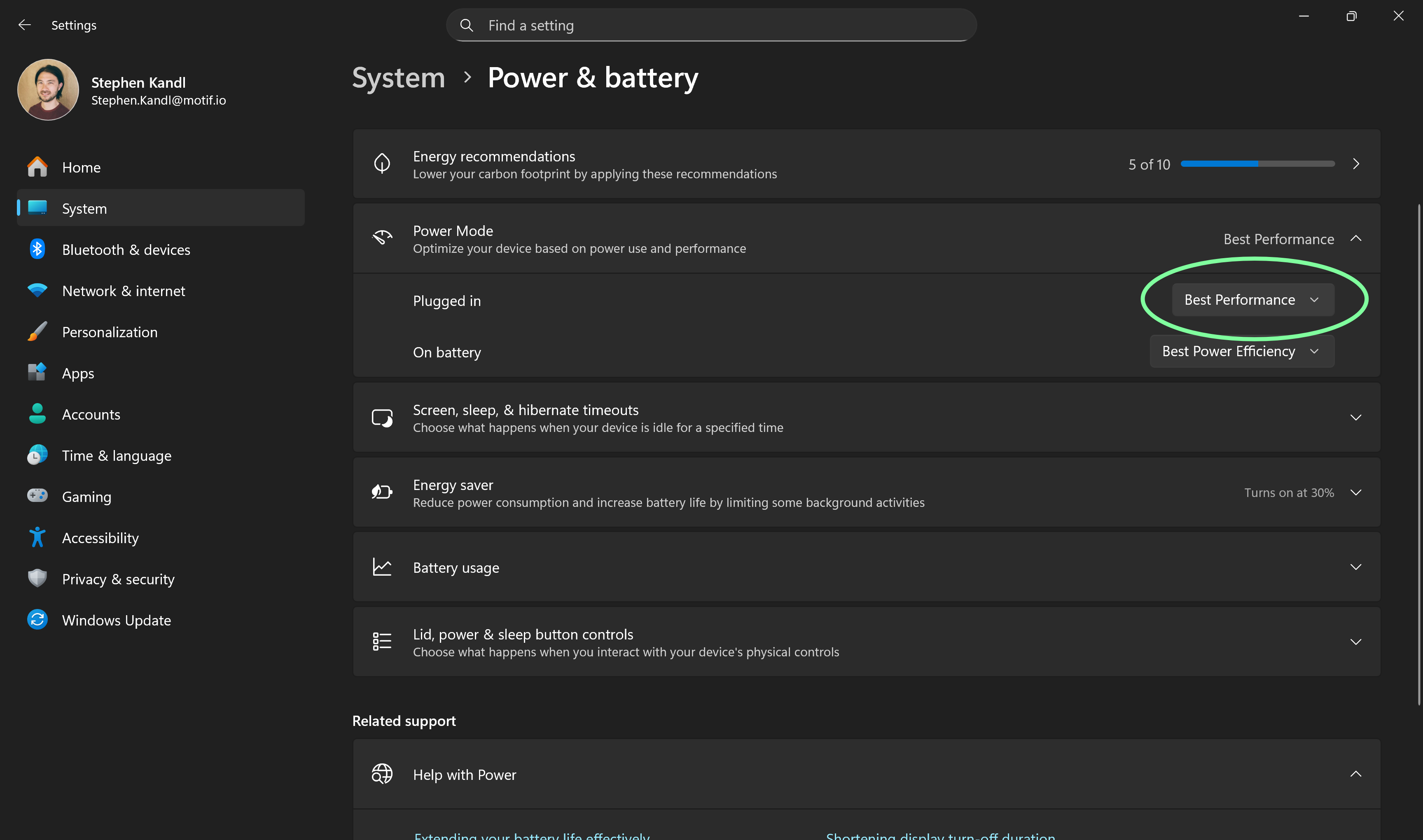
Go to System -> Power & Battery -> Power Mode
Here, you will see the currently active power mode when plugged in and when on battery.
Update the options
Plugged in -> Best Performance
On battery -> Best Performance or Best Power Efficiency
It is recommend using Best Performance when plugged in. If you are planning to use Motif when on battery, it is recommend to use Best Performance for "On battery" as well.
Related Articles
Need help? Reach out to us at community.motif.io