Revit: How do I publish light-mode sheets?
Last updated: September 22, 2026
When you publish sheets from Revit to Motif Review using the Motif Plugin, they are published as images. The images use the canvas color option that is set, which is affected by Revit light or dark mode.
If you publish sheets while using Revit dark mode, the sheet images in Motif Review will have a dark mode background.
To get light mode background sheet images, you can:
Change Revit to light mode before publishing.
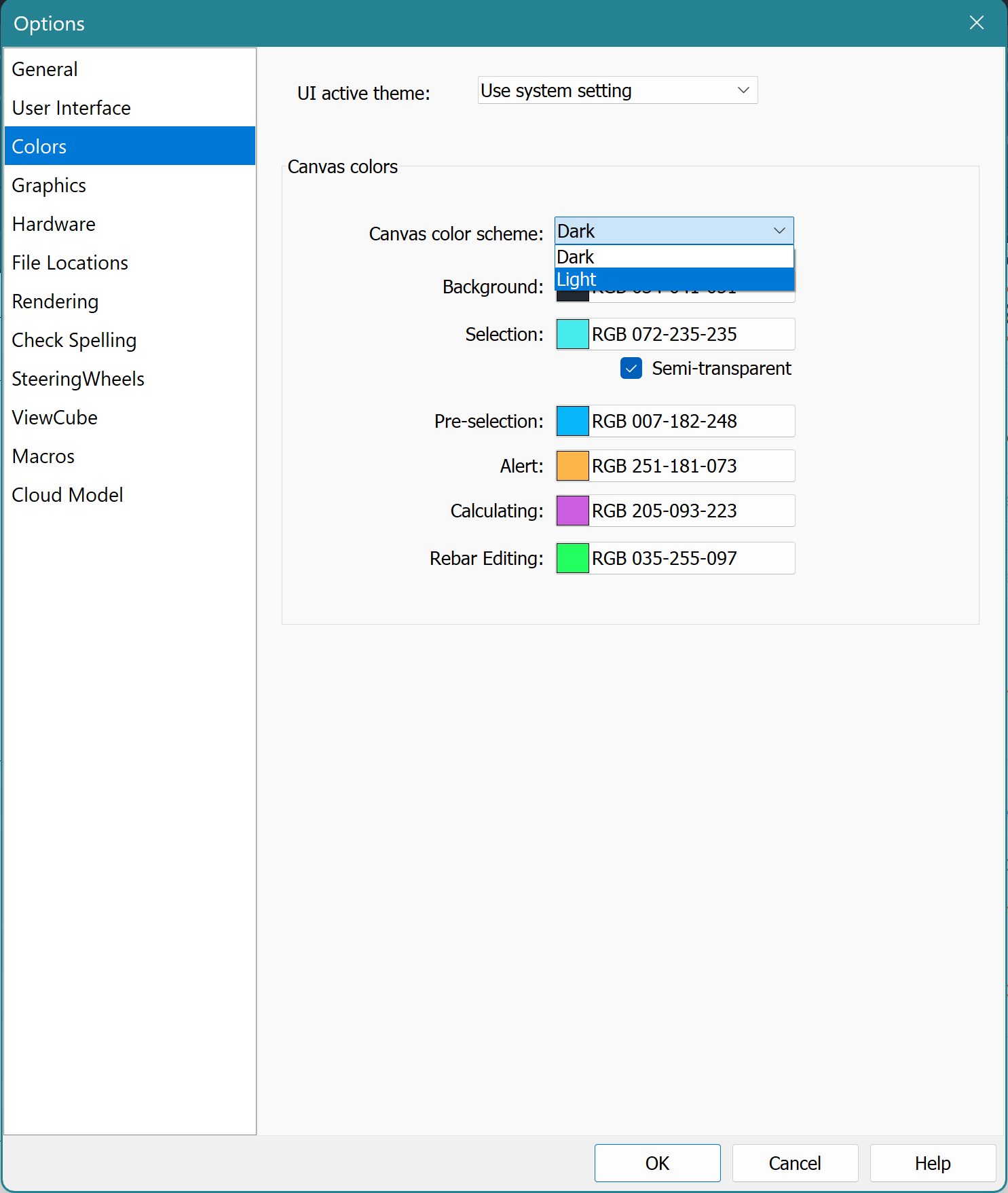
Change Revit canvas colors: File -> Options -> Colors -> Canvas colors.
Need help? Reach out to us at community.motif.io