Supported AI models
Last updated: September 16, 2026
Motif Review integrates multiple foundational AI models for image generation, video generation, and image editing. You can select which model to use before generating.
Privacy commitment
Motif guarantees absolute privacy for your models. Generated imagery will never be used by Motif or its model partners for further training purposes. Motif only works with partners who are contractually committed to not using customer work for their own training.
Available models
Image generation + Image editing
Model | Notes |
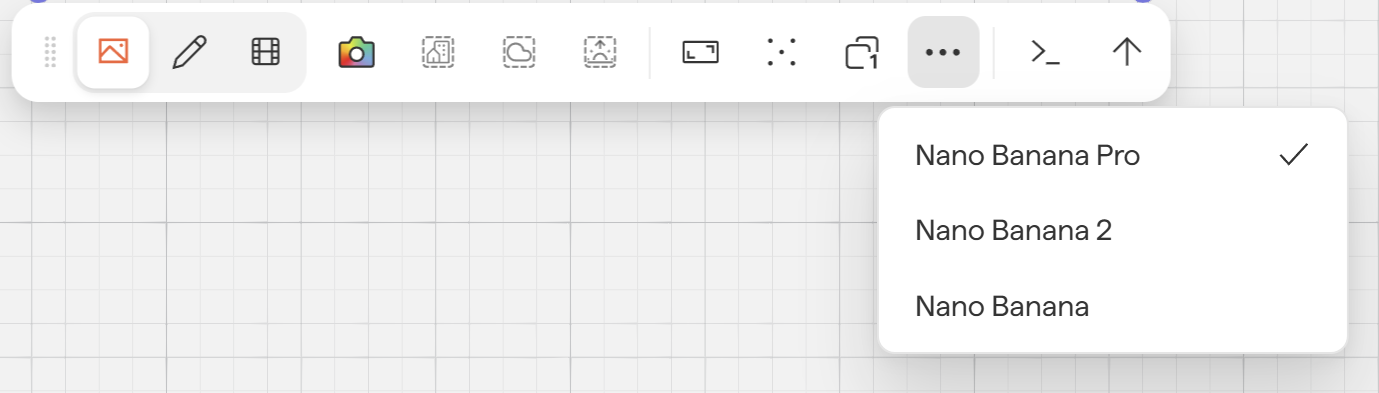
Nano Banana Pro | Primary model. Can occasionally be "too creative" — if results are unexpected, try another model. |
Nano Banana 2 | Backup model, used when primary rendering services are unavailable. |
Nano Banana | Backup model, used when primary rendering services are unavailable. |
ChatGPT Image 2.0 | A selectable alternative. Useful when you need high fidelity to the source model, or when Nano Banana Pro is changing details you want preserved. |
Video generation
Model | Notes |
Runway Gen4 Turbo | Best for highest detail and mood setting, as well as creating subtle movement. |
Veo 3.1 | Best for creating movement in a scene such as panning, fly-through and turning. |
Veo 3.1 Fast | Similar to 3.1, but prioritizes speed of render over detail |
Selecting a model
You can pre-select your preferred model from the model selector in the rendering toolbar, available both for image and video generation.
Viewing model metadata
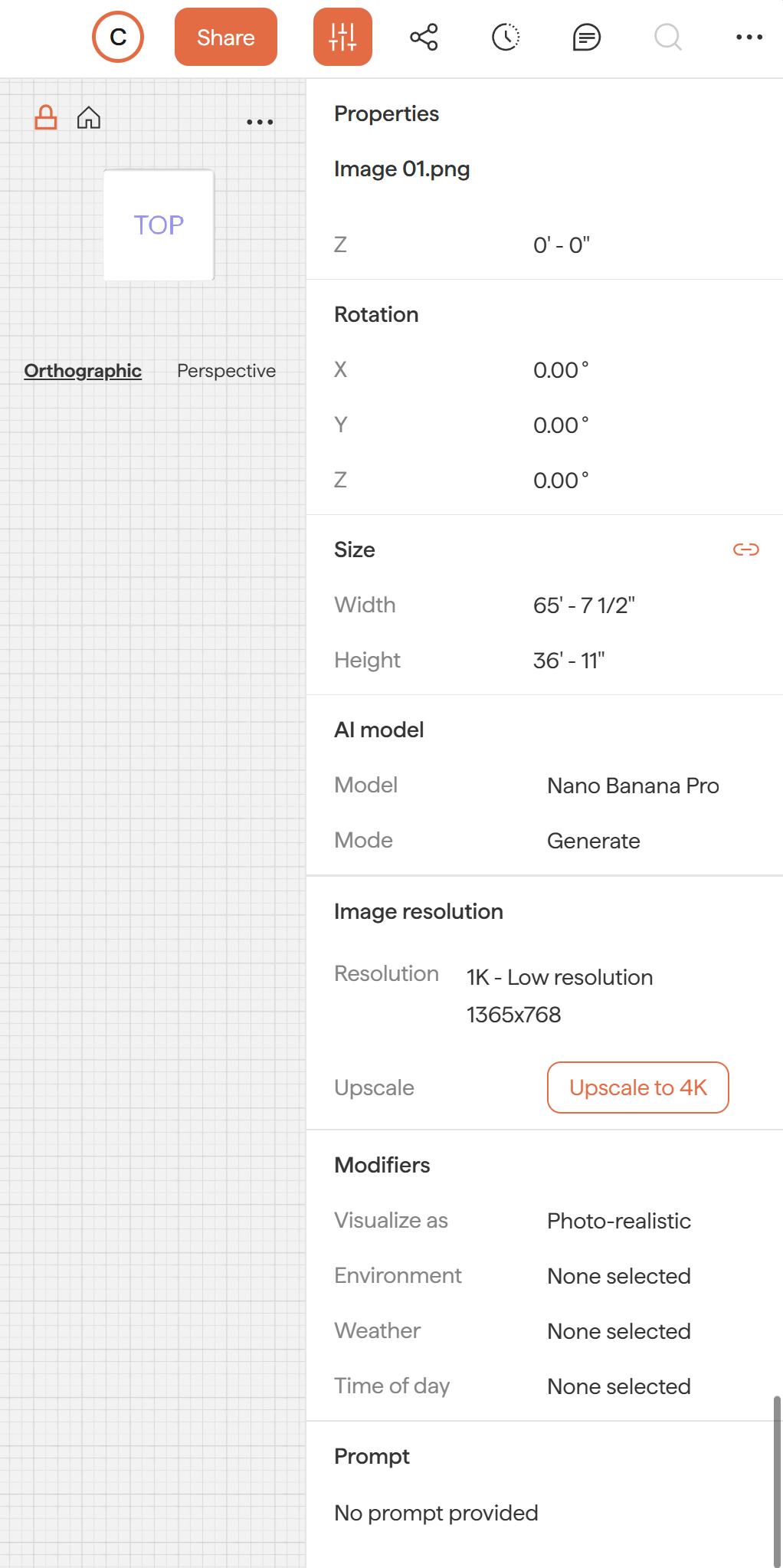
After generating an image, the Properties panel for that image displays:
The source image used
The AI foundational model used
Any prompts that were applied
This makes it easy for teammates to learn from and replicate successful renders.
Next steps
Need help? Reach out to us at community.motif.io