Prompting for Image generation
Last updated: September 16, 2026
The prompt box lets you describe your design intent in plain language, giving Motif Review's AI more context to produce accurate, targeted results. You'll write prompts in two situations:
To guide a render — when you render from a view, photo, or sketch, your prompt adds context on top of what is already detected in the input.
To generate from text — when you have no starting image, your prompt describes the entire image. See → 📄 Generate an image from a text prompt.
The principles below apply to both. The main difference is how much work the prompt is doing: with a starting image it supplements what's already there; with text only it has to carry the whole description — subject, materials, setting, and viewpoint.
Using a prompt to guide a render
Colors and materials defined in your model will automatically be detected and incorporated into the render. However, because AI works through interpretation rather than exact replication, results may differ from your specifications. Use the prompt box to:
Override or specify materials and colors
Describe the building type or program (especially for early-stage or conceptual models)
Add entourage like people, vegetation, or furniture
Clarify the camera angle or viewpoint
Guide the style or atmosphere beyond what modifiers offer
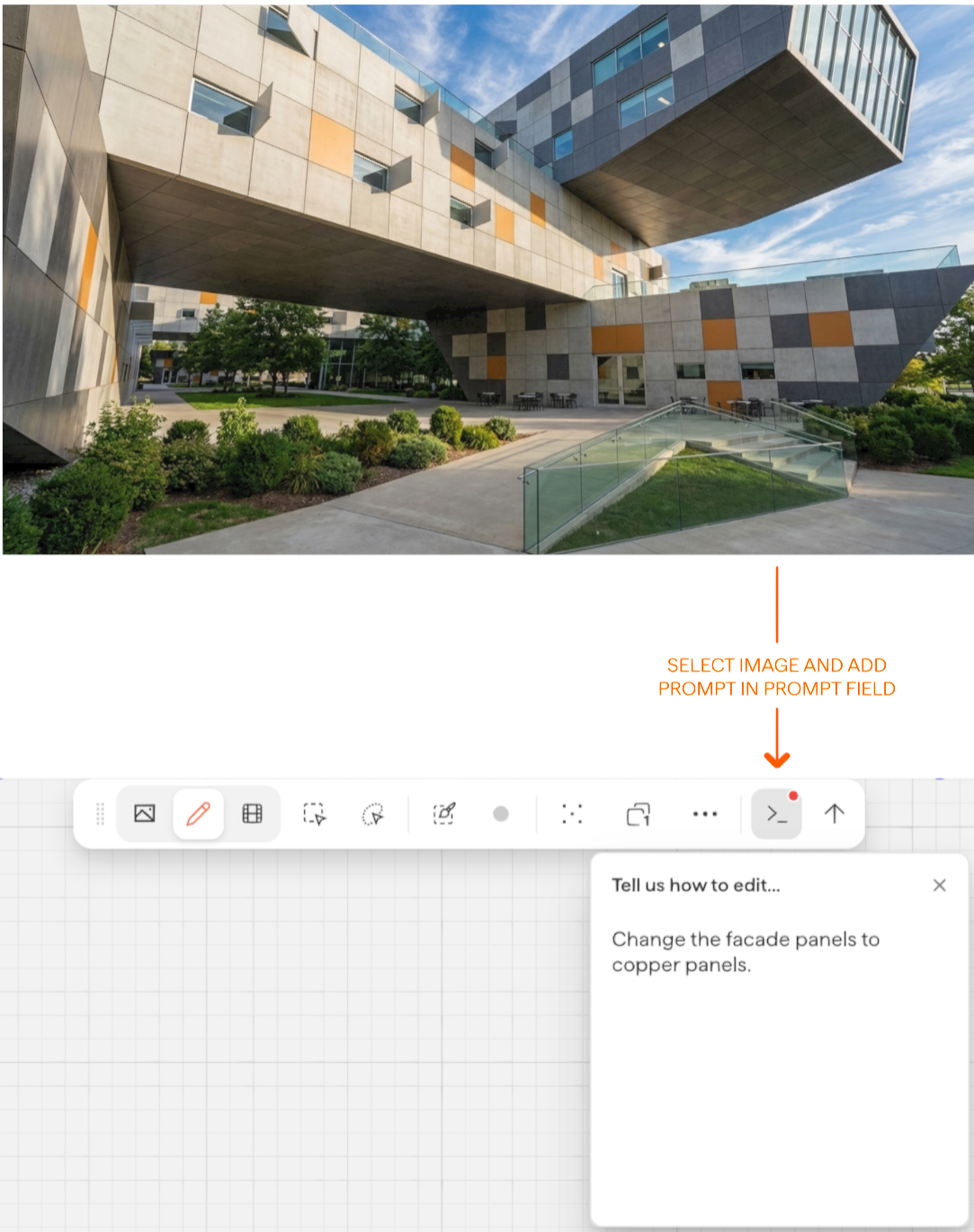
Start by simply clicking on the image you want to render from and click the prompt button to start typing your prompt:
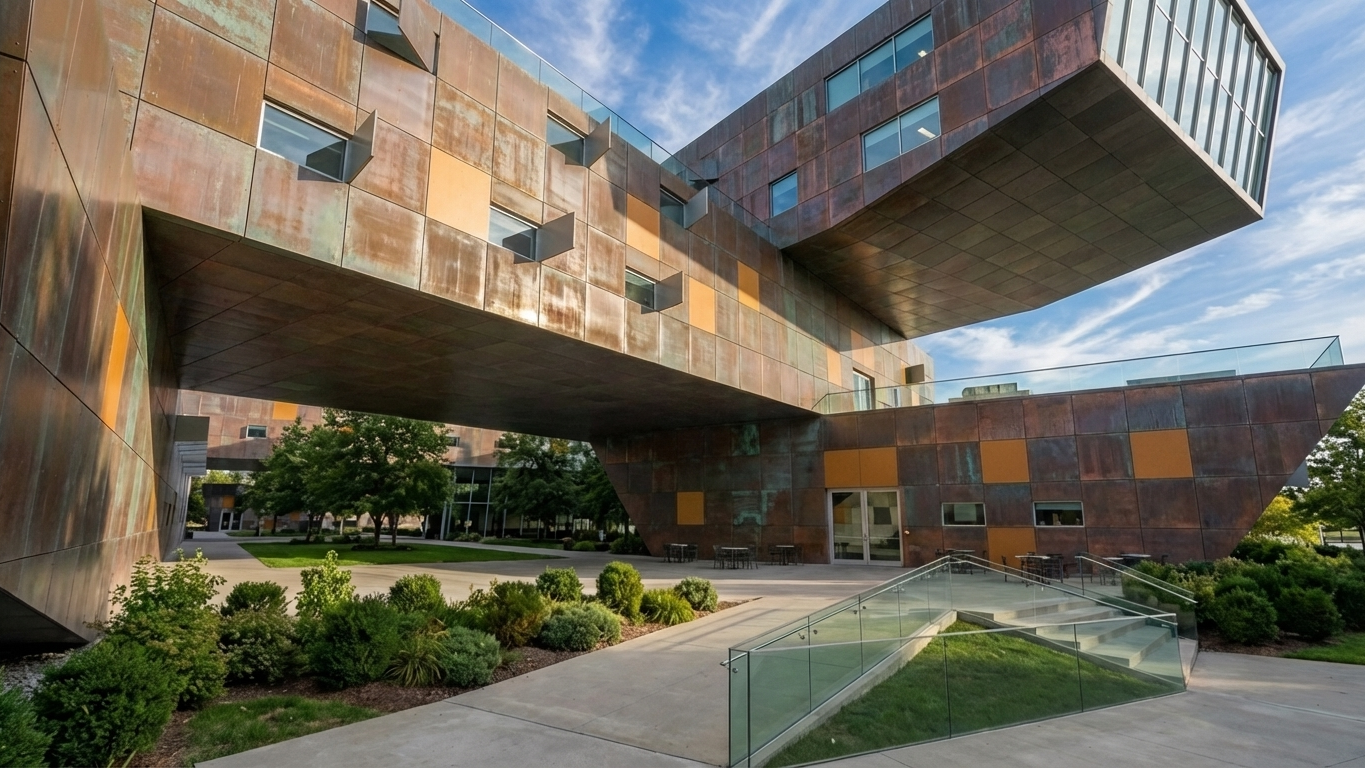
Result from the above example:
Example prompts
Here are simple, effective prompts to get you started:
Soccer stadium clad in aluminumApartment building in mass timber, lush green roofRender this apartment building in Miami deco colorsFully clad in small tilesChairs in random pattern of dark green and light green — floor, walls and ceiling in dark greyLush roof garden of tall residential tower
Clarifying the camera view
If the AI doesn't seem to understand the camera angle — common when there is little visual information in the input — add directional cues to the prompt:
aerial viewaerial view, sky is not visibleground is not visibledetail shot of top of building, ground is not visible
Next steps
Need help? Reach out to us at community.motif.io