Generate videos from images
Last updated: September 16, 2026
Turn a single rendered image into a short video, adding movement and life to your visualizations. Short 8–10 second videos are useful for client walkthroughs, social media clips, or adding motion to a presentation.
How it works
You can generate a video from any rendered image, with or without guidance:
Without a prompt: Automatically generate a short sequence (around 8 seconds) with a movement chosen based on the image.
With a prompt: You guide the type of movement or camera behavior you want
Start from a rendered image, not a raw model view. We recommend making videos from images you've already AI-rendered rather than original views. The rendered image gives the AI more visual information to work with, and the output is much closer to what you'll want to present. You can learn more about created saved views and render basics here:
Making a video
Select the rendered image you want to animate. You can then select the AI model and a written prompt before you submit the request.
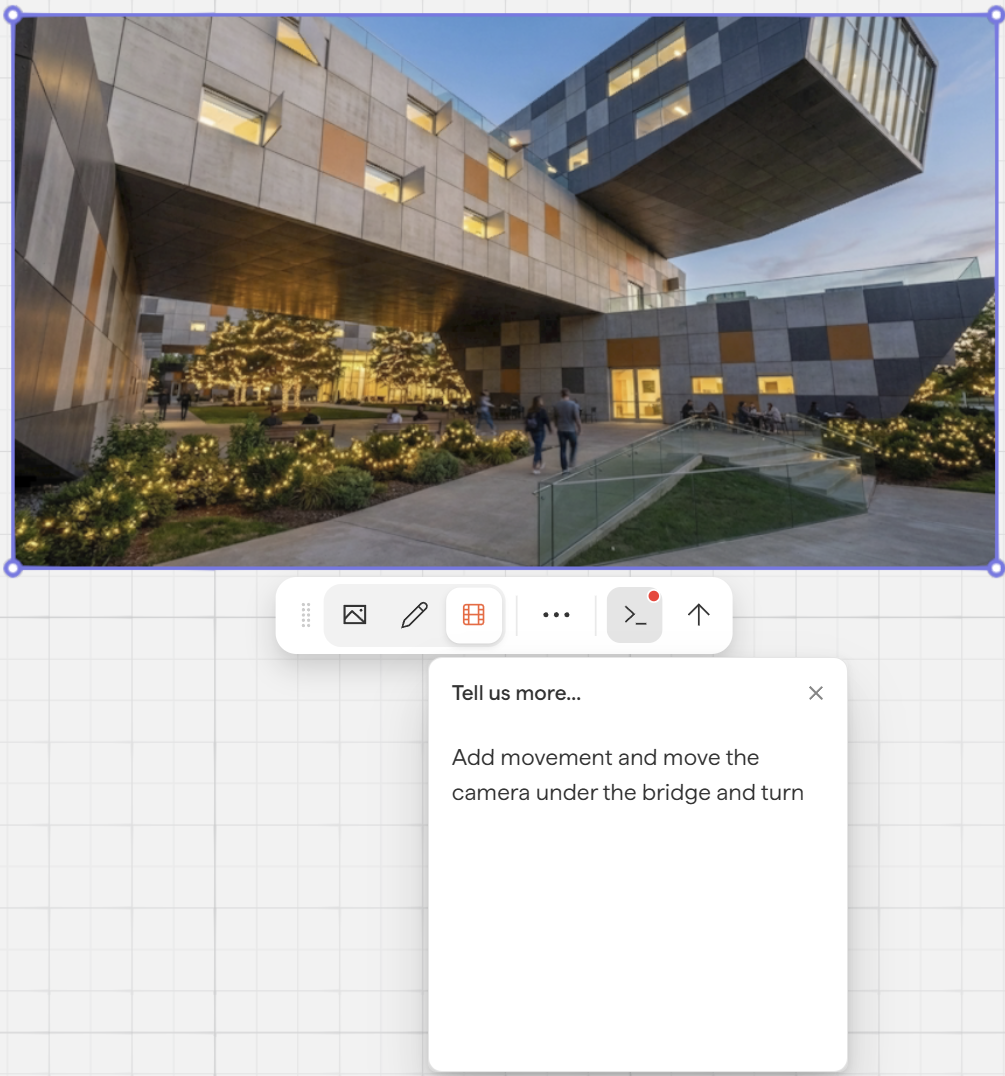
Result from the above example (Converted to Gif in this example):
Finding your videos after rendering
Generated videos are saved in your asset library. Go to Assets → Videos to find them. Naming is currently auto-generated.
Prompting guidance
Choosing the right AI Model
Each video model has different strengths. Use this as a quick guide:
Model | Best for |
Runway Gen4 Turbo | Highest detail and mood setting, as well as creating subtle movement. |
Veo 3.1 | Creating movement in a scene such as panning, fly-through and turning. |
Veo 3.1 Fast | Similar to 3.1, but prioritizes speed of render over detail |
Common use cases
Spatial walkthroughs to show how a space flows
Fly-by for exterior views or campus-scale projects
Short clips for social media (Instagram, LinkedIn) or embedding on a website
Quick "mood" snippets for early-stage design presentations
💡Try a variety of prompts. Movement direction, speed, and camera behavior can all be influenced through the prompt.
Prompting examples
Slow camera fly-through moving from the exterior entrance into the lobbyGentle pan across the rooftop terrace at golden hourCamera zooms slowly toward the facade, people visible in the plazaSmooth camera movement from one end of the open office to the otherAerial view slowly rotating around the building
Prompting tips
Be specific about camera, not characters. Prompts like "camera slowly moves through the entrance toward the lobby" work better than "show someone entering the space."
Avoid prompting for people doing specific actions. The AI has creative latitude with entourage — people may walk through objects, appear in the wrong place, or behave unexpectedly. If you want people, keep it vague (for example, "people in the space" rather than "person jumps onto a ledge then runs").
Describe direction and speed. "Slow zoom in," "pan right," "gentle push forward" all give the model useful anchors.
Start from a rendered image, not the raw model view. The AI has more to work, with and output quality is noticeably better.
Prompt or no prompt? No prompt still works; the model picks movement based on the image composition. Use a prompt when you have a specific camera behavior in mind.
What to expect
Videos are non-deterministic. The same prompt will give different results each time, and that's normal.
AI may take creative liberties with background elements, entourage, and lighting. Minor inconsistencies are expected.
If the first output isn't right, try rephrasing your prompt rather than running the same one again.
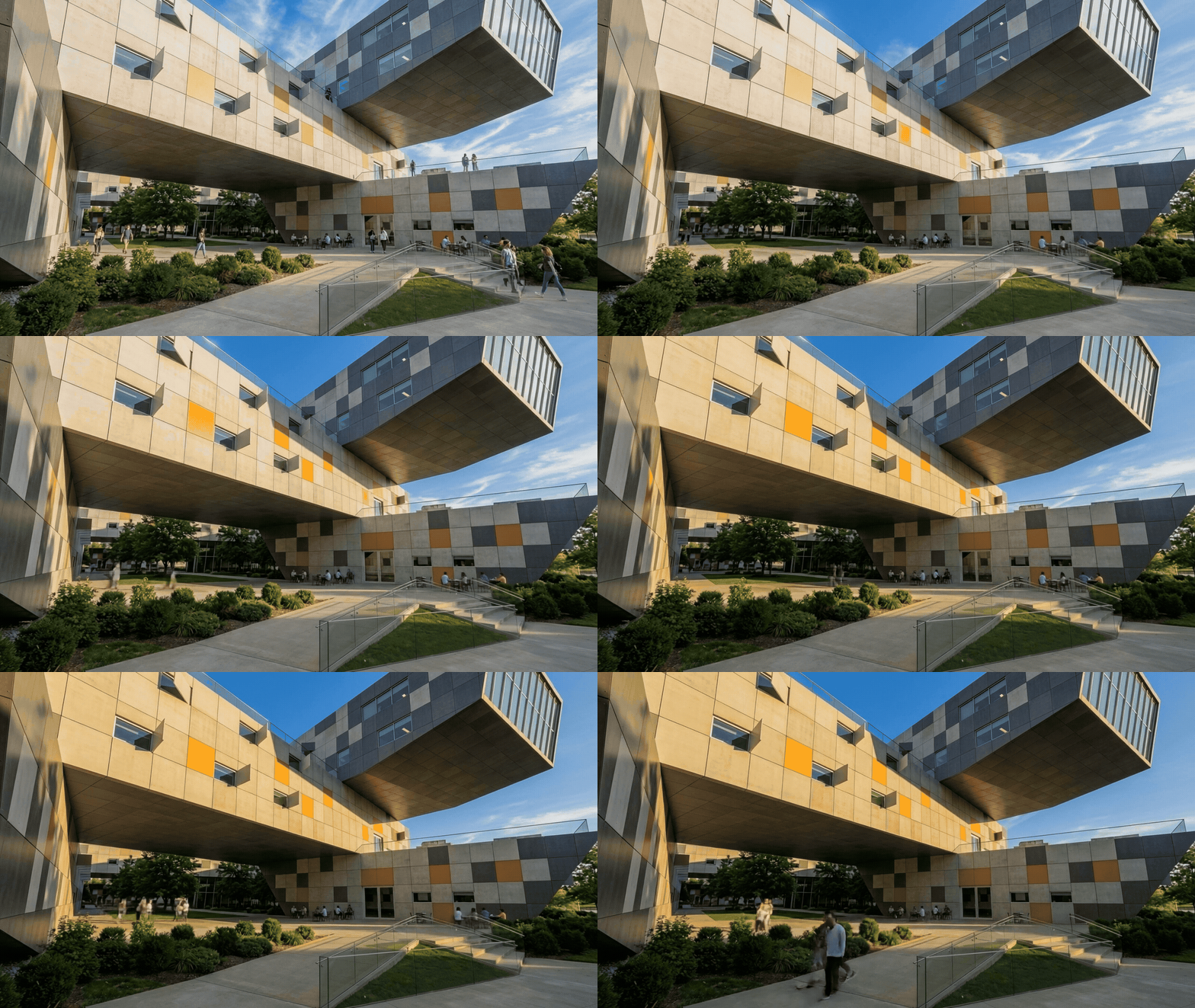
(Converted to Gif in this example): Prompt: Add movement. Sun transition. Model: Runway Gen 4 Turbo
Next steps
Need help? Reach out to us at community.motif.io