Cancel your Motif Review subscription
Last updated: September 8, 2026
Only an organization Owner can cancel a subscription.
Before you cancel
A few things worth doing first:
Export any data, files, or projects you want to keep
Let your team know — they'll lose access when the subscription ends
If you're cancelling because of a specific issue, contact us at community.motif.io; we may be able to help.
How to cancel
Go to Organization Settings → Subscription → Cancel Subscription, then confirm. You'll receive a confirmation email shortly after.
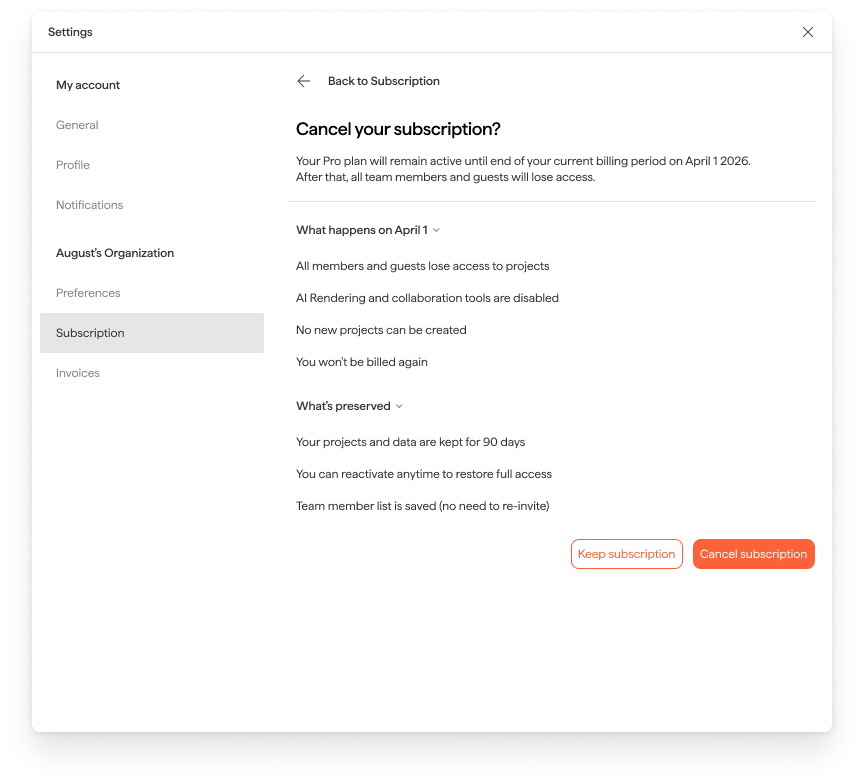
What happens next
Your cancellation takes effect at the end of your current billing period — you and your team keep full access until then. After that:
Your projects, files, and data are retained for 90 days
Team members lose access immediately
You can reactivate at any time; reactivating within 90 days restores your data and team list
After 90 days, your data is permanently deleted.
Need help? Reach out to us at community.motif.io