Sketch planes and clipping planes
Last updated: September 14, 2026
Motif Review supports flexible drawing surfaces — called work planes and sketch planes — that let you mark up and navigate your model in 3D space. You can orient drawing to principal axes, offset a custom plane to any face or elevation, and use that plane to clip through a model and reveal cross-sections.
Principal work planes
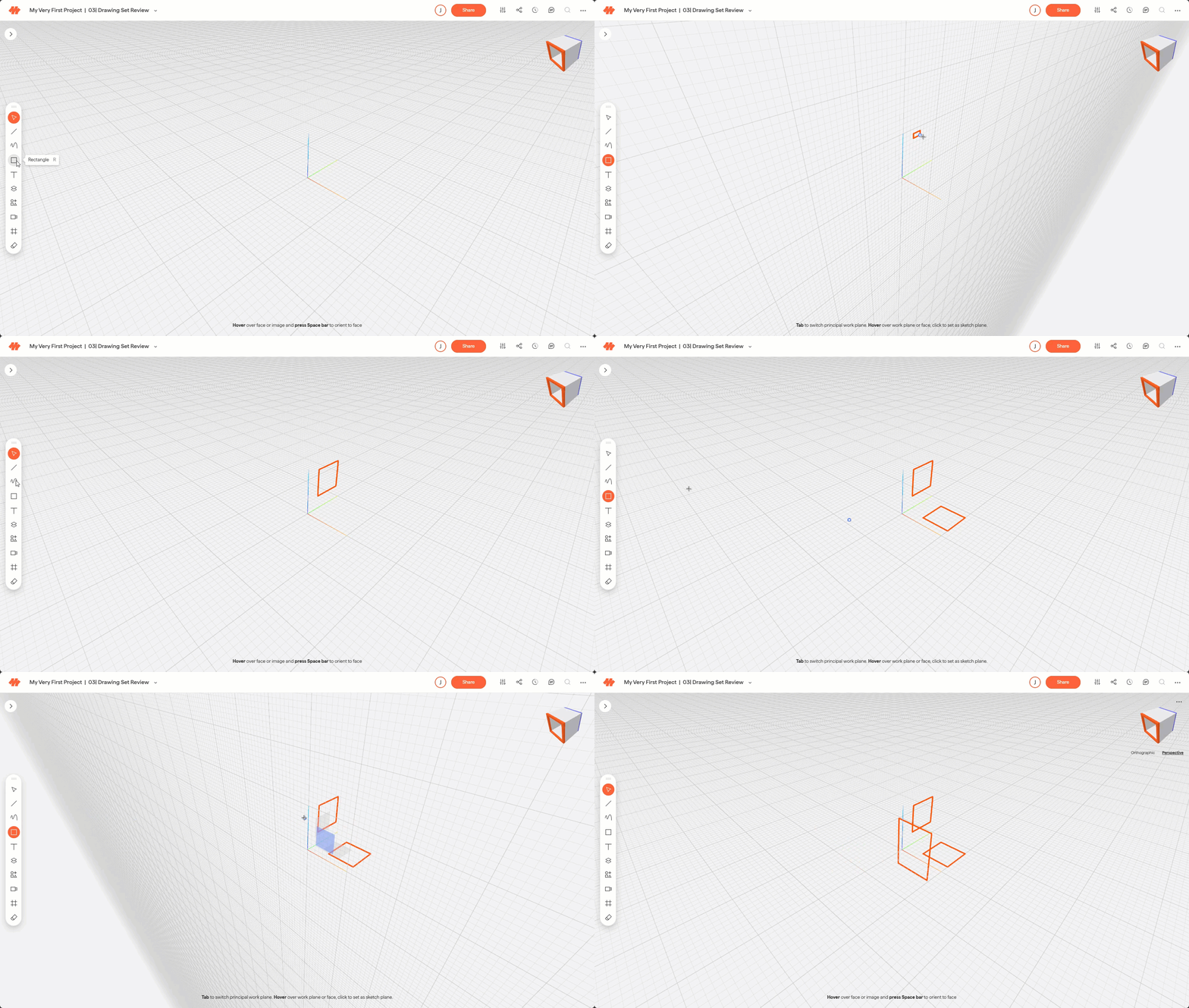
When you open a board, the active drawing surface defaults to the XY plane. Motif Review supports three principal work planes: XY, YZ, and XZ.
Press Tab to cycle through work planes.
When you select a work plane, the grid reorients to show it. Subsequent markup strokes are drawn on that plane.
Images and assets are placed on the active work plane by default. To place on a different plane, hover over it first, then click to place.
Sketch planes
Sketch planes are custom drawing surfaces that can be offset from a principal work plane, a geometry face, or another sketch plane. Use them to draw on angled or elevated surfaces.
Creating a sketch plane
Click the Create Sketch Plane tool in the toolbar.
Click on a geometry face or principal work plane. The grid will reorient to match.
Click and drag the arrow handle to offset the plane to the position you want.
Press Return to confirm.
Clipping plane
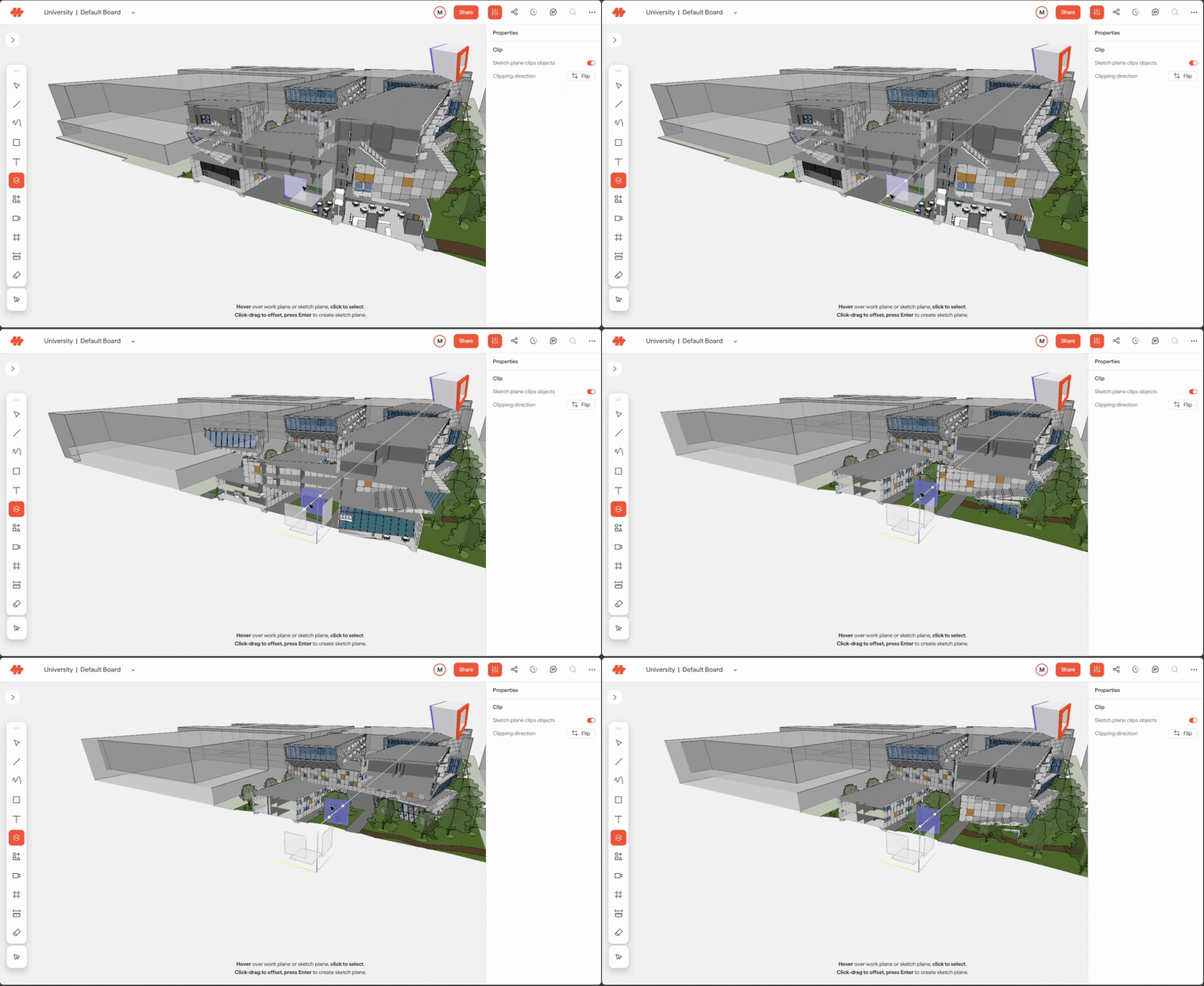
Use a sketch plane to clip through a 3D model and reveal a cross-section.
Create a sketch plane on a face of the model.
In the Properties panel, enable "Sketch plane clips objects" and flip the clipping direction if needed.
Drag the sketch plane arrows to adjust the clip depth.
Clipping persists by user, and for Views saved while the model is clipped. For example, if you clip a model and refresh your browser, it will remained clip. If you save a view of a clipped model, that view will save as shown on the board. And when you click on that view, or share a link to that view, the model will return to its clipped state, for any user. Since the View state is saved, you can also render from a clipped view.
Need help? Reach out to us at community.motif.io