May 2026 releases
Last updated: June 5, 2026
Release 1
Text to Image/Video AI Rendering
We’ve added the ability to create AI rendered images/videos from a text prompt alone, rather than from a view or image. This allows you to create images to combine with model views in order to do things like changing building materials, adding entourage, or making environment or other stylistic tweaks. Used in conjunction with multiple reference images, Text to Image is a powerful tool for getting to exactly what you want — faster — in your Motif AI visualization.
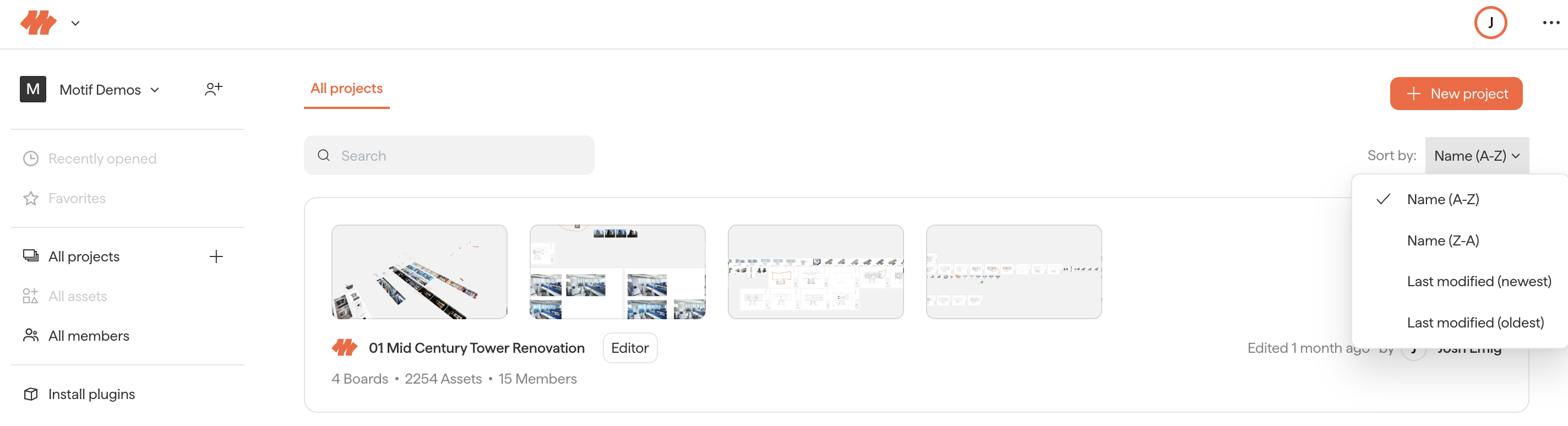
Sort Boards and Projects by Last Modified
Both the Projects list and the Boards list inside a project can now be sorted by last-modified date in addition to name. Your sort choice persists across refreshes, so coming back to recently-touched work is one click instead of a hunt.
Automatic Ambient Occlusion
Motif now applies Ambient Occlusion automatically — turning it on when the model is rendering smoothly and easing off if performance dips. AO is enabled by default; toggle to Off in the View Cube ... menu if you'd rather it never apply. No more choosing between "looks great" and "stays responsive."
Release 2
Motif now works on Tablet and Touch devices
Motif now works on tablet, with full pen support.
Review your team's designs on the train home 🚈
Mark up sheets on the flight ✈
Jot down client notes during a site visit 🏗
Explore concepts wherever and whenever inspiration strikes 💡
Motif now automatically switches between touch and desktop modes based on how you're working. Use a finger or stylus and Motif moves into touch mode; reach for your mouse to select, start a tool, or navigate and it switches right back to desktop mode. You can also set your preference directly in Settings → General → Touch Controls with a simple Show / Hide / Auto switch (Auto is the default).
Need help? Reach out to us at community.motif.io